
Edit your photos.
Keep your vision.
LightHub is an independent photo editor with RAW development, catalogs, presets, local masks and export controls. The Windows preview is free. The Mac beta supports Apple Silicon running macOS 14 or later. The iPhone and iPad app remains in testing.
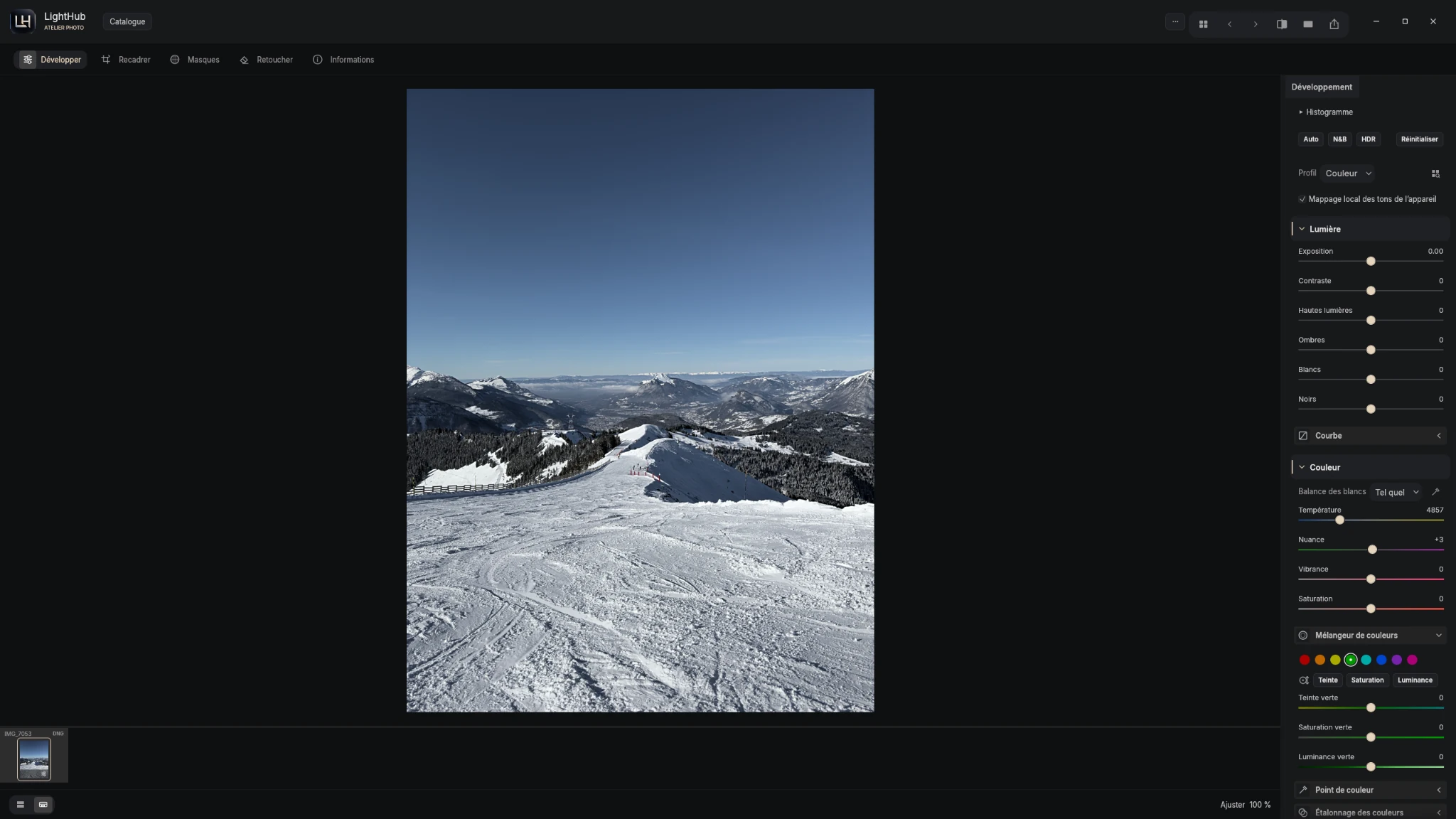
What does photo editing in LightHub involve?
Photo editing shapes the look of an image through exposure, white balance, contrast and color, followed by adjustments to specific areas. LightHub brings catalogs, development and export into one application. Choose your settings to suit the photograph and the result you want.
From your original photograph to the final file
Start with an image
The Windows preview and Mac beta include four sample photos. Open one to explore the tools without preparing files. When you import your own photographs, keep your originals.
Develop light and color
Adjust exposure and white balance, then refine highlights, shadows and contrast. Curves and color tools help shape the result. A preset provides a starting point that you can adapt to each image.
Use masks for local adjustments
Work with a brush or linear and radial gradients. MobileSAM creates object selections; masking tools let you refine the area and apply local adjustments. Explore LightHub masks on Windows.
Prepare your final file
Choose a format and delivery settings for your use. The Windows export panel includes dimensions, color space, quality and metadata controls. Available options vary by platform and format; check the version you use.
RAW development: check your camera
LightHub uses LightCraft decoders. Documented families include DNG/ProRAW, Canon CR2/CR3, Nikon NEF, Sony ARW and Fujifilm RAF. Support depends on camera model, compression and app version; some variants use an embedded preview. Read the RAW formats and limitations before preparing a whole shoot.
Choose Windows, Mac or iPhone
- Windows: free preview, included sample photos and GitHub installers.
- Mac: Apple Silicon beta, macOS 14+. Development-signed and not notarized; macOS may block opening.
- iPhone and iPad: in testing, with no public App Store or TestFlight link announced here.
Catalogs do not synchronize between platforms. Read the release notes for build-specific improvements and limitations.
Moving from Lightroom to LightHub
If you know Lightroom, the tool categories may feel familiar: development, presets and local adjustments. Features, rendering and project formats are not necessarily equivalent. Our LightHub and Lightroom guide explains what to check before changing your workflow.
Try LightHub ↓