Adjust the light
Exposure, contrast, highlights, shadows, whites and blacks: development controls let you work on your photo’s brightness and nuances in a panel to the right of the image.
 LightHubYOUR PHOTO STUDIO
LightHub is free photo editing software for Windows, developed by Adam Besrest using the LightCraft engine. Its preview brings together a catalog, light and color adjustments and a comparison of edited looks.
Download the Windows preview ↓4 included photos to get you started. Try the adjustments right away, without preparing or importing your own images.
Start with one of the four sample photos on the home screen. They are built into the app, so you can discover LightHub without having any photos ready.
Choose an image, adjust exposure or colors, and compare your looks. Import your own photos whenever you are ready.
Download and try the included photos ↗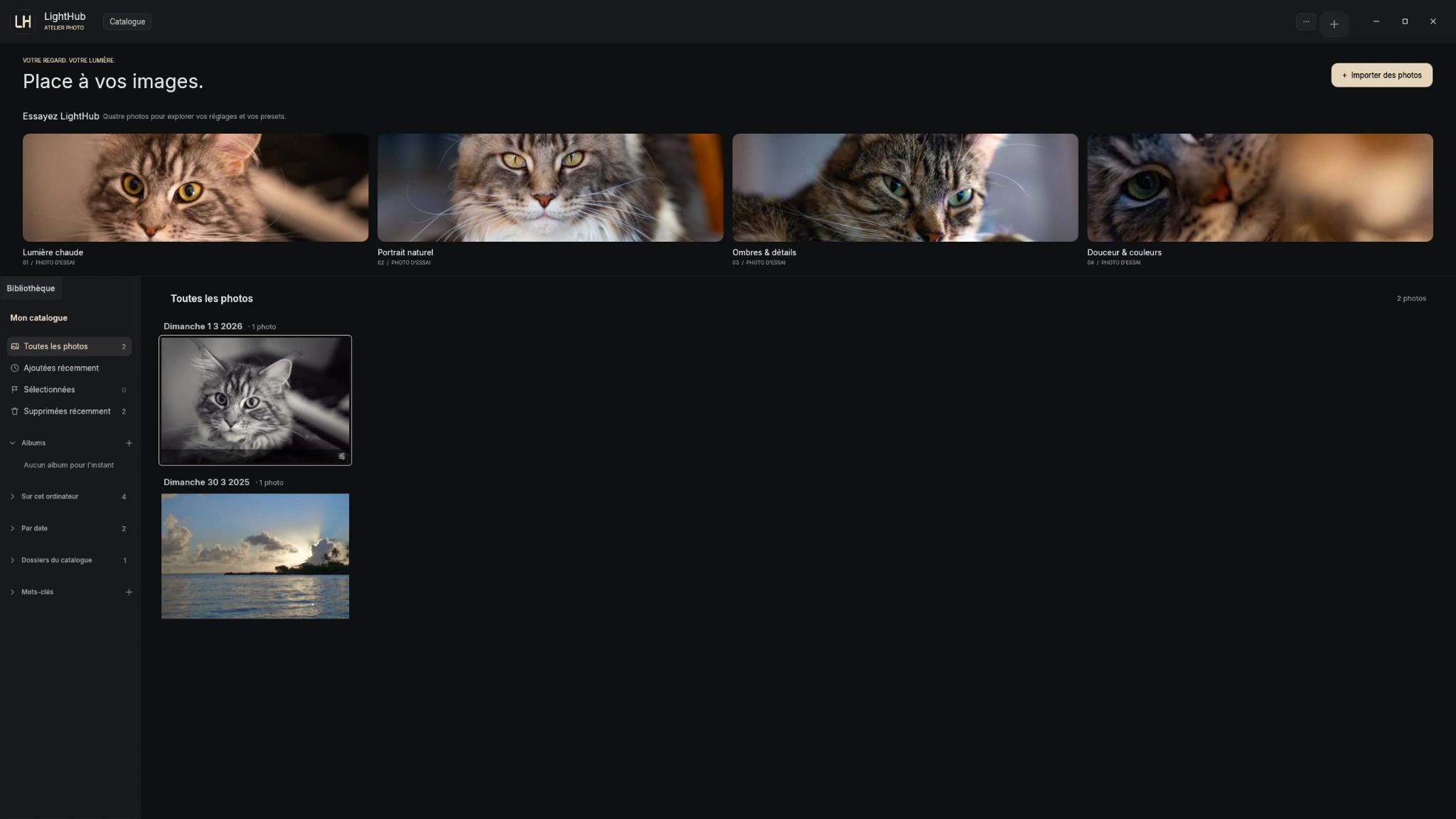
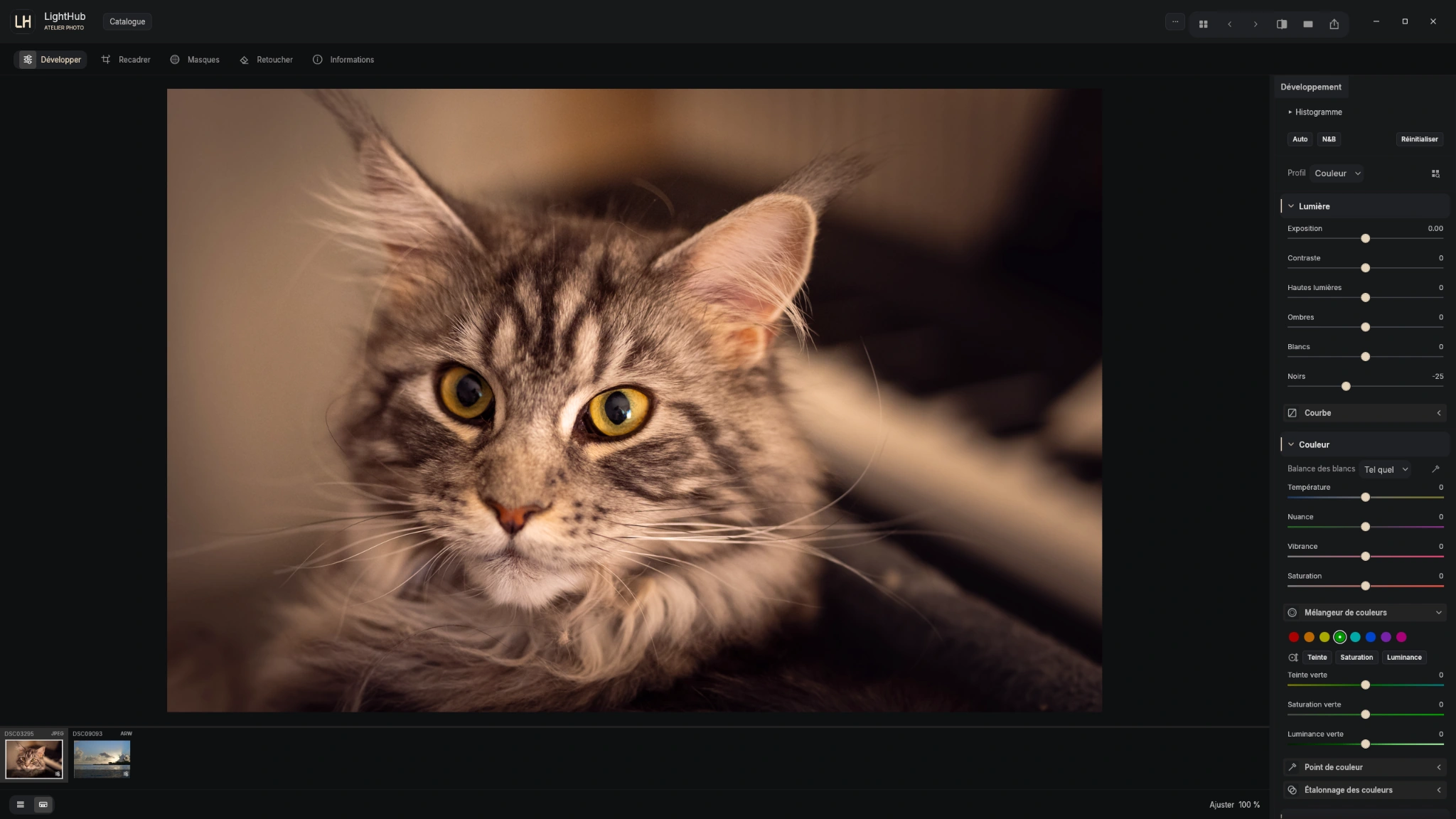
Exposure, contrast, highlights, shadows, whites and blacks: development controls let you work on your photo’s brightness and nuances in a panel to the right of the image.
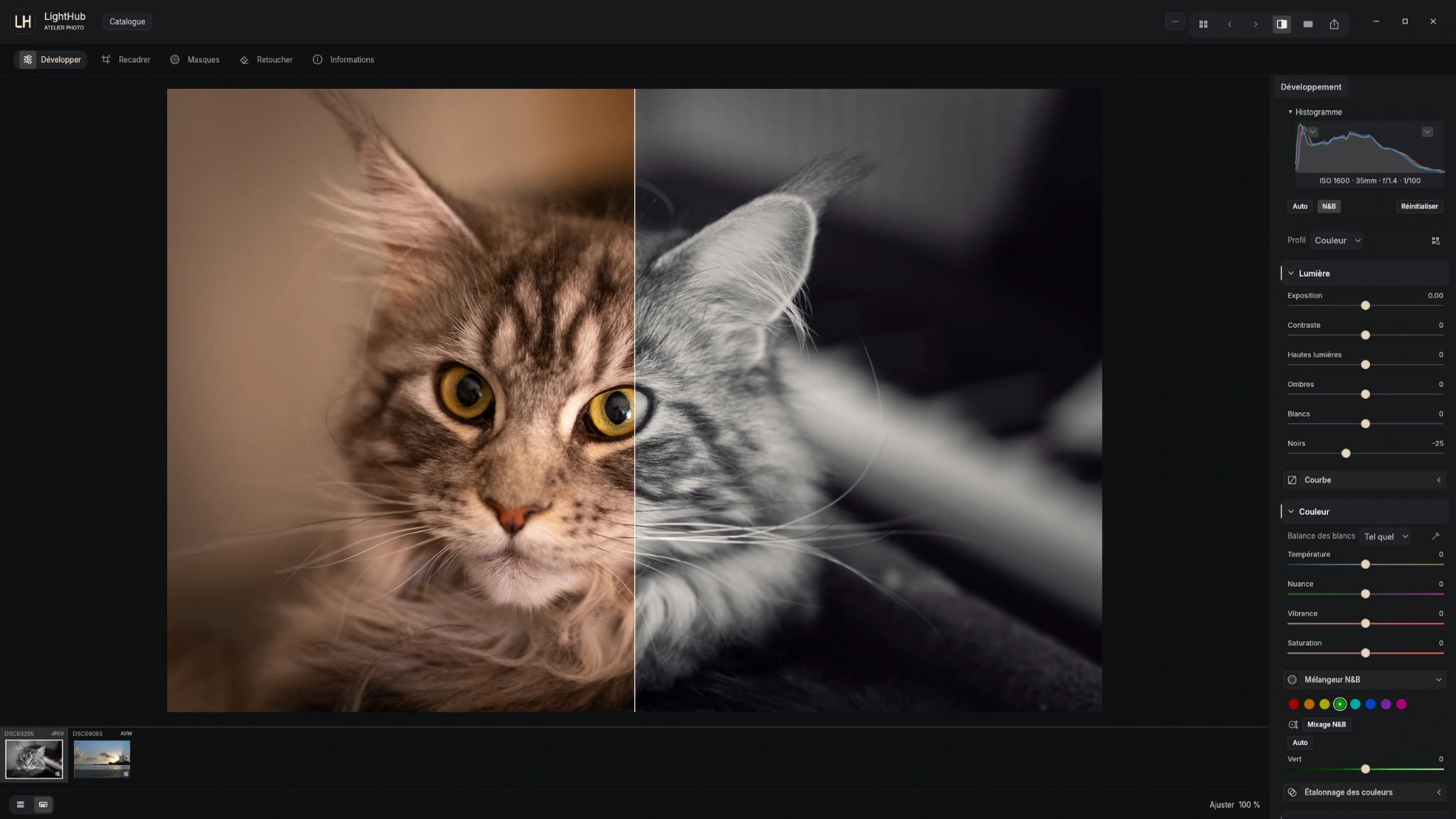
The interface includes white balance, temperature, tint, vibrance and saturation, plus a color mixer. A comparison view displays two looks side by side, including color and black and white.
The catalog groups your images and provides access to importing. Four built-in sample photos let you explore the adjustments before importing your own files.
LightHub uses the LightCraft engine’s RAW decoders. The families below describe capabilities and limitations documented by LightCraft; they do not guarantee that every camera or compression variant works in every LightHub version.
A genuinely decoded RAW provides sensor data for development. Recognizing a file extension alone does not guarantee that decoding.
For some files, only the embedded JPEG preview is available. Displaying it does not provide the RAW sensor data or the same editing latitude. If no usable preview is available, import may fail.
LightCraft documents non-destructive, 32-bit floating-point processing in a wide-gamut, linear Rec.2020 space. Available controls depend on the LightHub interface and version.
| Format family | Documented decoding | Important limitations |
|---|---|---|
| DNG / Apple ProRAW | Documented support includes uncompressed DNG, several compression schemes, LinearRaw and ProRAW. | Some variants remain limited, including PQ/HLG JPEG XL tiles. GoPro GPR is not supported as a standard DNG. |
| Canon CR2 / CR3 | CR2 including sRAW/mRAW; CR3 and C-RAW for the documented CRX variants. | Some CR3 encodings, Dual Pixel RAW and undecoded variants may remain preview-only. CRW is preview-only. |
| Nikon NEF | Documented decoding includes uncompressed NEF and lossless/lossy compressed variants. | High Efficiency / HE★ NEF remains preview-only. Some uncompressed variants, including the Z 6II’s packed 14-bit mode, remain a documented limitation. |
| Sony ARW / SR2 | Documented uncompressed ARW, cRAW and lossless compression; DSC-R1 SR2. | Some older 12-bit compressed ARW files remain preview-only. ARQ Pixel Shift merging is not supported. |
| Fujifilm RAF | Bayer and X-Trans; uncompressed, lossless and lossy compressed; 14/16-bit GFX. | Some older FinePix files without the expected RAW structures remain preview-only. |
| Panasonic RW2 / Leica RWL / RAW | Several generations of Panasonic and Leica encoding are decoded from sensor data. | Check compatibility with the actual camera model and recording mode. |
| Pentax PEF | Documented uncompressed, Huffman and packed 12-bit variants. | Pentax Pixel Shift frames are not merged. |
| Olympus / OM ORF | Documented uncompressed ORF variants. | Compressed ORF remains preview-only: an .orf extension does not guarantee RAW development. |
| Samsung SRW | Documented uncompressed and packed 12-bit variants. | The compressed SRW variants listed in the reference remain preview-only or are refused. |
| Other families | Decoders are also documented for selected ERF, MRW, MEF and DNG-like 3FR/FFF files. | Hasselblad-compressed 3FR/FFF and IIQ, MOS, KDC or X3F are among the preview-only formats. DCR, MFW, DXO and GPR are listed as not imported in this reference. |
On smaller screens, the table can be scrolled horizontally.
The camera model, firmware, compression, bit depth and shooting mode change the file’s contents. Color profiles and lens corrections remain partial: the result may differ from the camera JPEG or another editor, even when sensor data is decoded.
Before processing a shoot, test a representative RAW from the same camera and recording mode. For an issue, give support the exact model, extension, compression mode and LightHub version. On iPhone and iPad, the bundled engine version and available memory impose additional limits.
Technical reference checked on October 31, 2026: LightCraft RAW matrix, revision c4fd54e0 ↗ and engine documentation ↗. For the behavior of a particular LightHub release, also read its release notes.
The comparison shows two interpretations of the same photo in the Windows editor. The before/after examples on the homepage also feature landscapes and portraits supplied by the publisher.
These screenshots illustrate specific uses. They do not replace release notes, which describe changes and limitations for each installer.
The software is still a preview: bugs and differences between publications may remain. Requirements depend on the release; universal compatibility with every Windows version is not claimed here.
Yes. The Windows preview is offered free of charge. This does not determine the future price of the iOS version.
The download page selects the latest publication that actually contains a Windows installer. Files are hosted in the project’s GitHub releases.
LightCraft has decoders for DNG/ProRAW, CR2/CR3, NEF, ARW, RAF, RW2/RWL, PEF and selected other families. Coverage depends on the variant: some files remain limited to an embedded preview. Read the format and limitations table, then test a file from your camera in the LightHub version you use.
The iPhone and iPad version is in testing, with no public download announced. A macOS version is planned for later, with no release date announced.